
Experience modern collaborative-grade typesetting directly on your workstation. Sub-second compilation, native CPU execution, and custom distraction-free obsidian dark mode with zero cloud subscriptions.
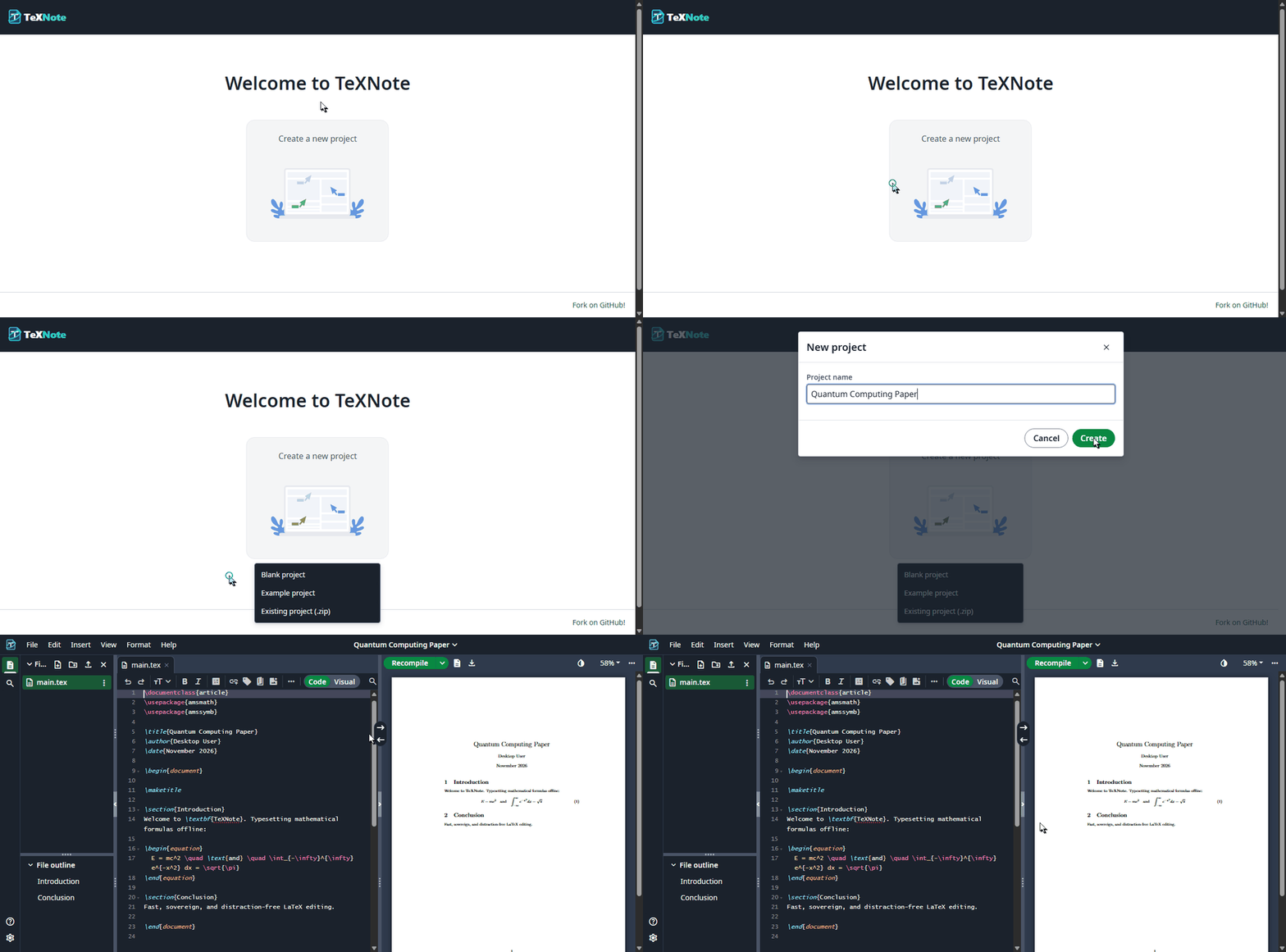
The complete Overleaf-grade writing environment — fully self-hosted on your machine with zero internet requirements, zero tracking, and zero logins.
No login walls, no accounts, and zero internet required. Your manuscripts, research formulas, and sensitive data remain strictly on your local PC.
Sub-second background compilation updates your PDF preview live as you type or on edit pause
(Ctrl + Enter) with zero lagging.
Context-aware suggestions for environments (\begin{...}), math symbols, cross-reference labels
(\ref{...}), and bibliography citations (\cite{...}).
Direct two-way navigation. Ctrl + Click anywhere in the PDF preview to jump directly to the
exact source code line in your editor.
Intuitive hotkeys for compiling (Ctrl+Enter), commenting (Ctrl+/), and
formatting, plus optional Vim and Emacs keybinding modes.
Real-time syntax validation with inline error gutter markers. Jump directly to problematic lines with human-friendly error summaries.
Instant visual navigation across sections, subsections, and figures. Seamless drag-and-drop file organizer
for images, .bib, and custom packages.
Distraction-free typographic palette. Ergonomically crafted for hours of deep academic research and marathon writing sessions without eye strain.
Select your platform to download the installer and follow the quick setup steps.
Ultra-lightweight ~75 KB bootstrapper. Automatically initializes the engine and configures Desktop shortcuts.
Download TeXNote_WebSetup.exe (~75 KB)Save TeXNote_WebSetup.exe to your workstation.
Double-click to launch. It automatically configures the environment and desktop icon.
Click the TeXNote desktop shortcut. Your studio launches immediately.
Run the official one-liner in terminal, or download the standalone shell installer.
curl -fsSL https://raw.githubusercontent.com/rij1/texnote/main/scripts/install-online.sh | bashExecute the one-liner in your terminal (or run the downloaded .sh).
The installer configures background services, app menu entry, and global CLI.
Type texnote in terminal or launch TeXNote from your applications menu.
Standalone setup package with bundled offline TeX Live toolchain. Ideal for isolated, air-gapped computers without internet access.
Download Offline Setup (Google Drive)Full AGPLv3-compliant source tree, C# supervisor source, packaging scripts, and vector brand assets.
Browse GitHub RepoTeXNote was designed and architected by Rijwan Ansari under IRSpace to provide researchers, students, and academics with a sovereign, beautiful, and distraction-free offline LaTeX environment. Free from subscriptions, proprietary trackers, and cloud lock-ins.